Today I'm Going To Give you A full Guide To Install Viper4android On Coolpad Cool1 Dual Letv Le2, max2 & All Android devices Running On The Android Version 6.0 to 7.1
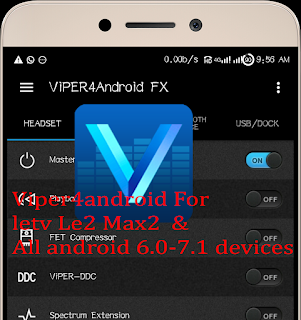
So Before Starting We Must Know About Viper4android
Q. What is viper4android
Ans. Viper4android Is world's Best Equalizer For Android Devices
As Per Official Site... ViPER’s Audio is an audio enhancing software to provide everyone with better audio experiences in various platforms such as smartphones and PCs.

Browse Downloaded Viper4android Zip

 System
 Vendor
 Etc
Etc
 Now Rename.
audio_effects.conf File To audio_effects.conf.bak

Now Open Viper4android App From your App Drawer
It will Ask you To Install Drivers
click On Install. Grant Root Permission
Reboot
Done.....
Now You have Sucessfully Installed Viper4android On Your Android Smartfone
=========================
= DOWNLOD VIPER4ANDROID ZIP =
=========================
LINK FIXED..
THANKS.
Not Able To Install. Need Help ???
contact me on facebook

So Before Starting We Must Know About Viper4android
Q. What is viper4android
Ans. Viper4android Is world's Best Equalizer For Android Devices
As Per Official Site... ViPER’s Audio is an audio enhancing software to provide everyone with better audio experiences in various platforms such as smartphones and PCs.
ViPER’s Audio is founded by Euphy Wong (known as ViPER520). ViPER’s Audio has been a popular audio mod in China. Co-founder Jasper Loo (known as zhuhang) extended its popularity globally through xda-developers forum. It has now gained fame and stand its ground in the audio mod field
Now let's Start Installing ....
Step.1
Download viper4android.zip
Place The Downloaded Zip Into Internal Storage Of Your Smartfone
Step.2
Goto Twrp Recovery
Click on Install


Flash It.
After Flashing Completes
Reboot Your Smartfone..
After Reboot.
Download & install Es file Explorer
Open Es file Explorer
Grant Root Permission..
Goto Device


audio_effects.conf File To audio_effects.conf.bak

It will Ask you To Install Drivers
click On Install. Grant Root Permission
Reboot
Done.....
Now You have Sucessfully Installed Viper4android On Your Android Smartfone
=========================
= DOWNLOD VIPER4ANDROID ZIP =
=========================
LINK FIXED..
THANKS.
Not Able To Install. Need Help ???
contact me on facebook
LINK FIXED
ReplyDeleteits....aswm bro....nyc working....thnks 4 sharing
ReplyDeleteWelcome😎😎😎😎😎
DeleteBest configurations for bass :)
ReplyDeleteThanks :)
This comment has been removed by the author.
ReplyDeleteWorks but no sound on calls.
ReplyDeletedoes this work on CDLA earphones?
ReplyDeleteUPDATE - It doesn't
DeleteWill it disables Dolby sound??
ReplyDelete